AOProGuard

Centre and malpractice checks for awarding organisations

Every check as thorough as your best analyst’s best day.

AOProGuard checks every centre that applies to you, and the people behind it, against your own records and the public record. Your team sees what deserves a look, and every finding and decision is kept, so it holds up at appeal and stays when people move on.

AI assists. The analyst decides.

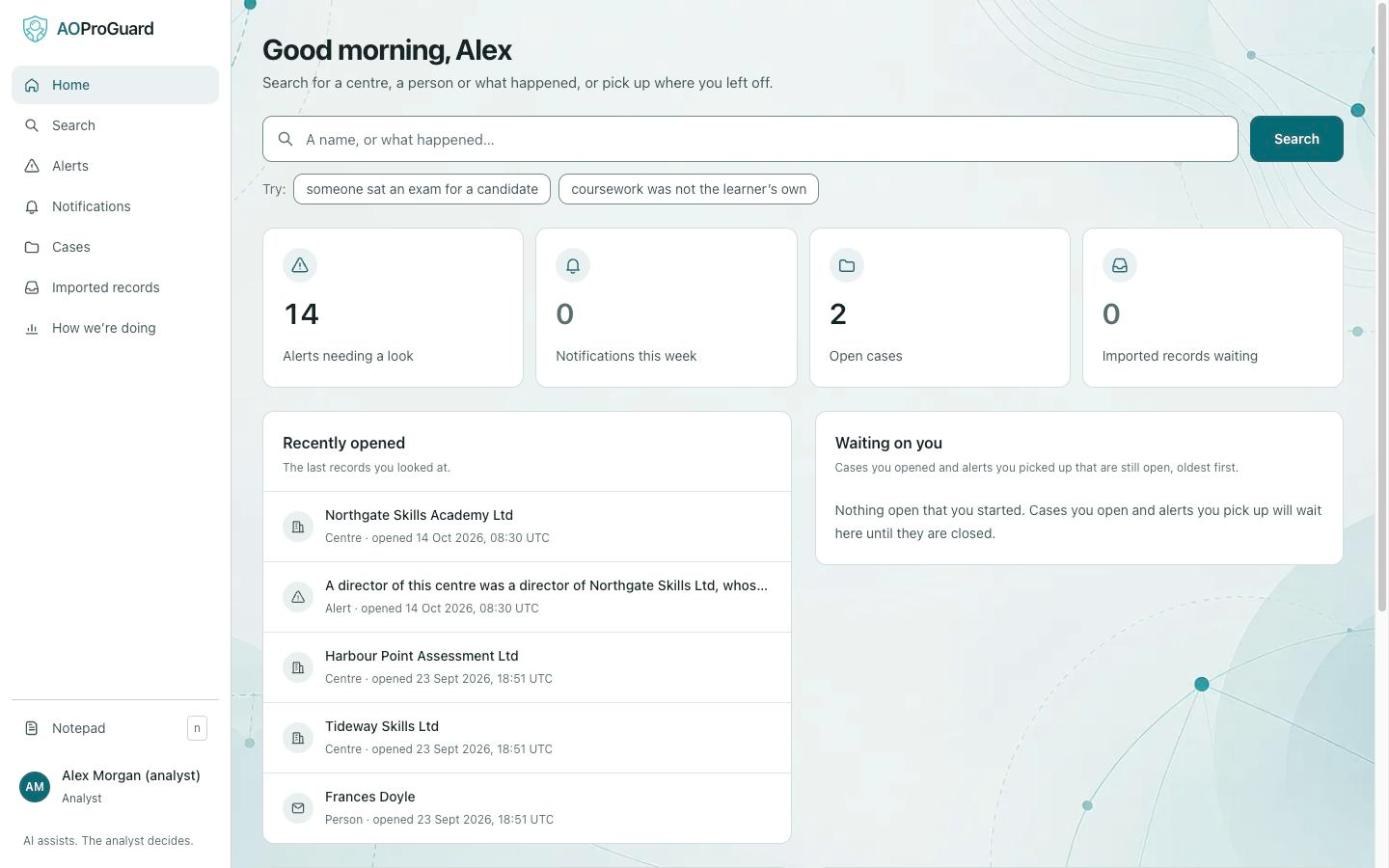
The AOProGuard home screen: a search box, counts of alerts needing a look, notifications this week and open cases, and a list of recently opened centres and people.

Why it matters

Three things it changes for your team

The cost of a missed centre is not the hour the check would have taken. It is the certificates issued, the learners affected and the decision you then have to defend.

Thorough on a busy day

How deep a check goes today depends on who does it and what else is on their desk. AOProGuard runs the same checks on every application: past directors, shared addresses, links to centres you have already withdrawn, and public records such as Companies House. Your analyst starts from what it found, not from a blank search.

Decisions that hold up

When a centre appeals, you need to show what you knew, when you knew it and why you acted. Every alert, piece of evidence and decision is kept with who added it and where it came from. A report is a fixed copy of the case, so it reads the same at an appeal next year.

Knowledge that stays

Much of what makes a good check lives in experienced people’s heads: the name that came up two years ago, the address that keeps reappearing. AOProGuard keeps it in the records, so a new colleague sees what your most experienced analyst would have spotted.

What it finds

It joins the dots a busy person misses

People who abuse the approval process rarely come back under the same name. A centre closes and reopens as a new company. A director returns with an initial instead of a first name. AOProGuard checks every application against everything you hold and the public record, the same way every time.

  • The same person under a different name

    People are matched on surname and month and year of birth, the details Companies House publishes. A different first name, an initial or a nickname does not hide them.

  • The centre that comes back

    Anyone who ran a centre you rejected, suspended or withdrew is flagged the moment they appear on a new application, whatever the new centre is called.

  • Disqualified directors

    Every director is checked against the Companies House register of disqualified directors, with a link to the entry so you can confirm it yourself.

  • One company, two names

    Centres registered under the same company number are linked automatically. When duplicate records are combined, their history comes with them.

  • Search that allows for real life

    Names are found despite misspellings. Search also looks through your notes and the A8.7(b) notifications other awarding organisations have sent you, so a name mentioned in passing still turns up.

Example match
Northgate Skills Academy LtdApplying now
Director
John Smith
Born
March 1971
Northgate Skills LtdApproval withdrawn, malpractice
Director
J. Smith
Born
March 1971

Raised as an alert with both records attached. Nothing is merged and nobody is labelled: your analyst decides whether it is the same person.

How it works

A check, start to finish

Six screens from the working tool, in the order your team would use them. Every screen shows example data: the centres and people are made up.

Step 1 of 6 · Alerts

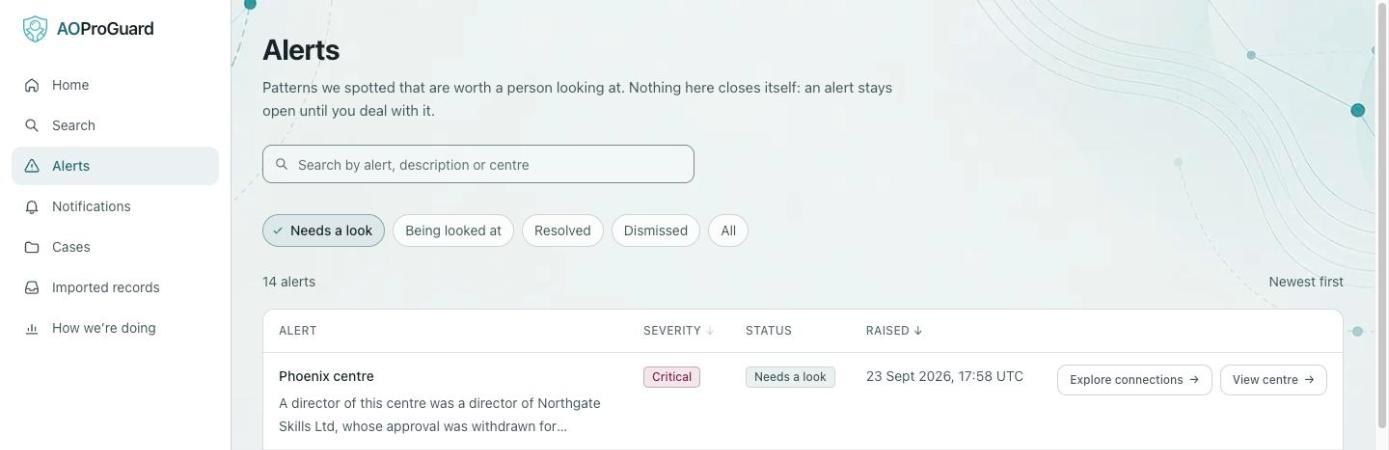
It tells you what is worth a look

When a check finds something that matters, such as a director who ran a centre you withdrew or one on the disqualified register, it becomes an alert. Each is ranked from low to critical, so you know where to start.

Nothing closes itself. An alert stays open until a person deals with it, and dismissing one needs a reason.

The Alerts list. The top alert, rated critical, reads: a director of this centre was a director of Northgate Skills Ltd, whose approval was withdrawn for malpractice.

Step 2 of 6 · Connections

It shows who is behind a centre

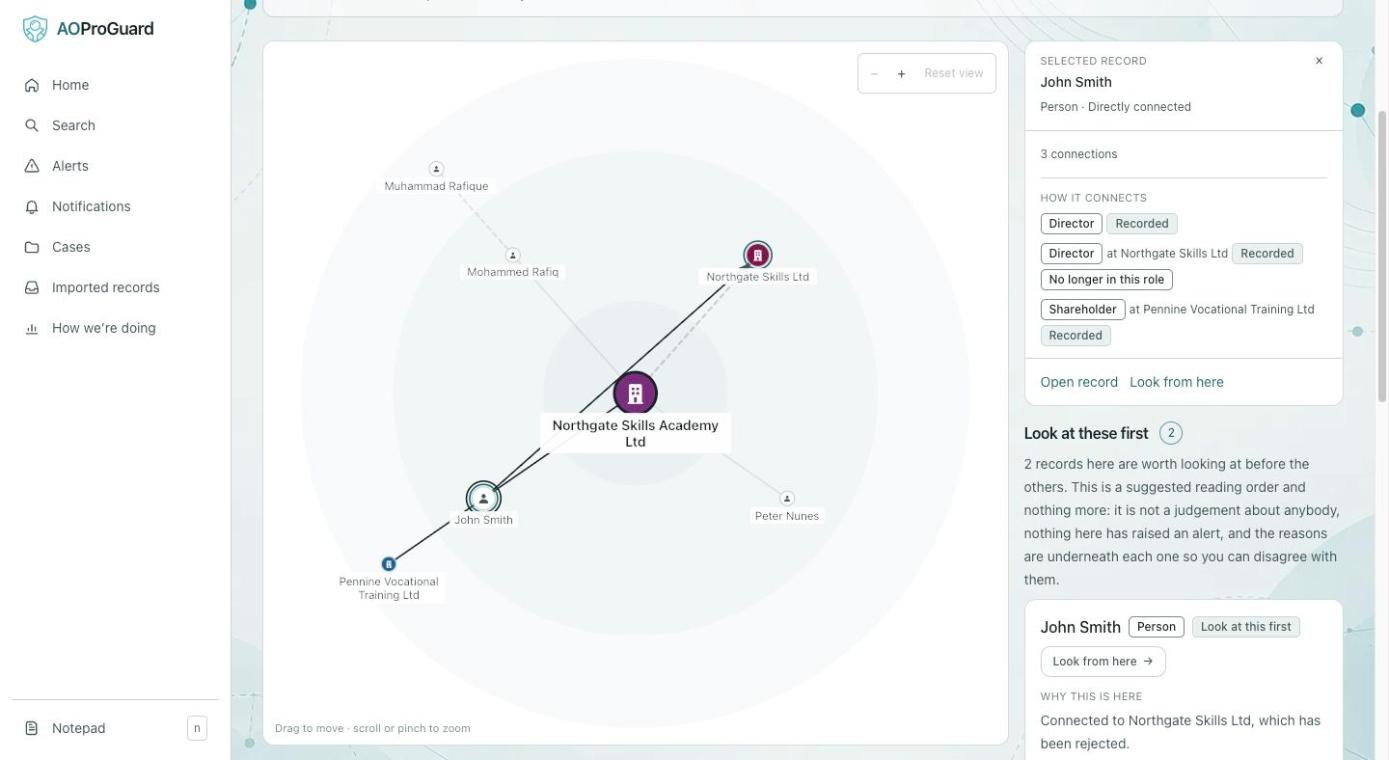
Northgate Skills Academy looks like a new applicant. One step out, its director John Smith was a director of Northgate Skills Ltd, whose approval was withdrawn for malpractice.

Every line shows what it rests on and how strong the evidence is. The suggested reading order is a starting point, never a judgement about anybody.

  1. The centre being checked.
  2. John Smith, director here and formerly at the rejected centre.
  3. How he connects, and whether each link is still current.
A connections diagram centred on Northgate Skills Academy Ltd. John Smith is selected. The side panel shows he is a director here, was a director at Northgate Skills Ltd (no longer in the role), and is a shareholder at Pennine Vocational Training Ltd.

Step 3 of 6 · Search

Find anyone, even spelt wrong

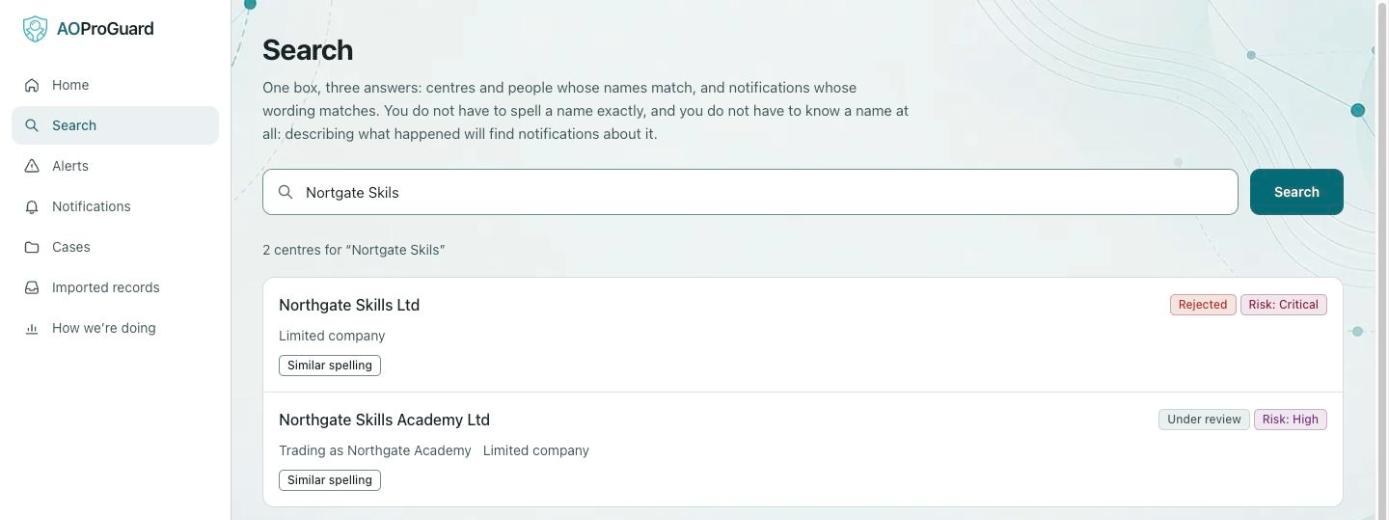
Search for a centre or a person by name and it allows for spelling differences. “Nortgate Skils” still finds both Northgate centres, with their standing and risk beside them.

When nothing comes back, that tells you something too: you hold no record of them.

A search for the misspelt name Nortgate Skils returns two centres: Northgate Skills Ltd, rejected, risk critical; and Northgate Skills Academy Ltd, under review, risk high. Both are marked similar spelling.

Step 4 of 6 · Notifications

It reads A8.7(b) notifications, and you check them

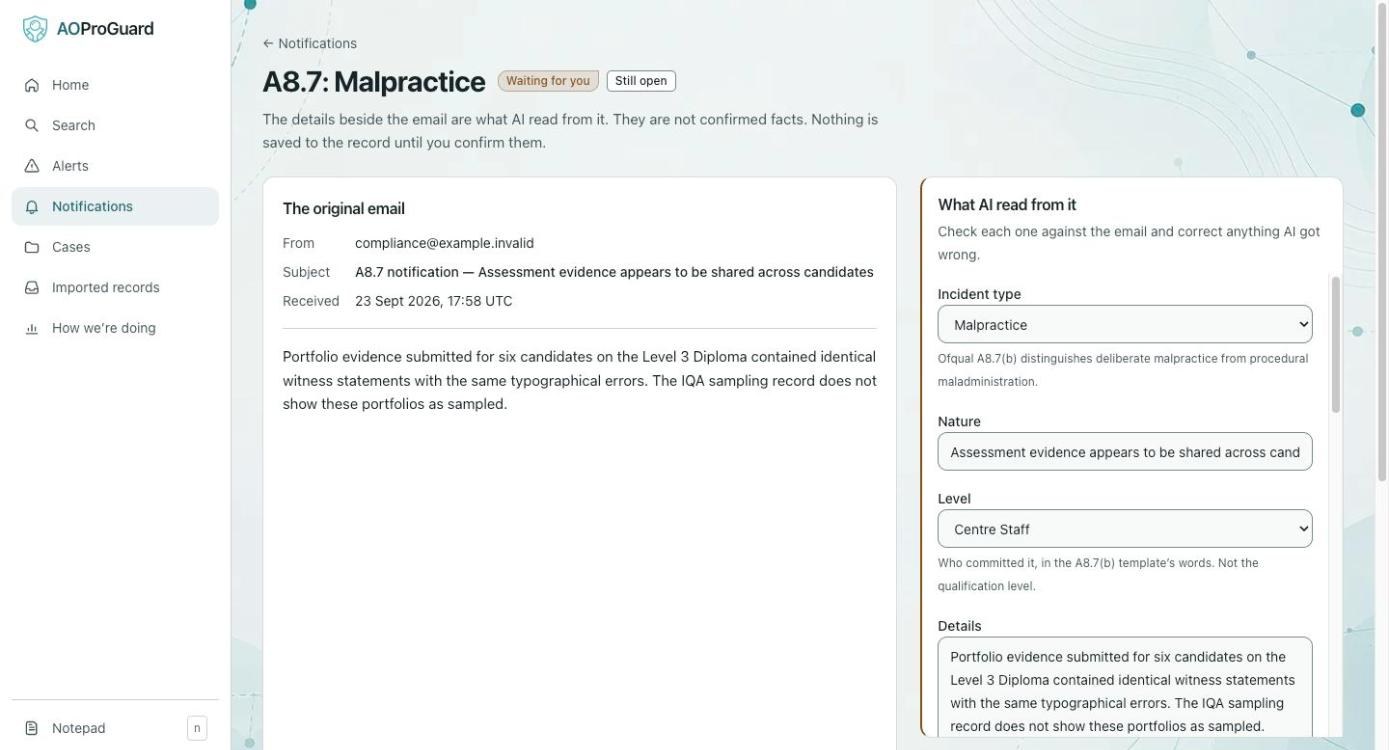
When another awarding organisation emails you about malpractice, AI reads the email and fills in the details in Ofqual’s terms. The email sits beside its reading, and AI says how sure it was.

Nothing is saved to a record until a person confirms it.

  1. Waiting for you: only a person can confirm.
  2. The original email, exactly as it arrived.
  3. What AI read from it, field by field, for you to correct.
An A8.7 malpractice notification waiting for review. On the left, the original email about identical witness statements across six portfolios. On the right, what AI read from it: incident type malpractice, the nature of the incident, level centre staff, and the details.

Step 5 of 6 · Cases

Build the case in one place

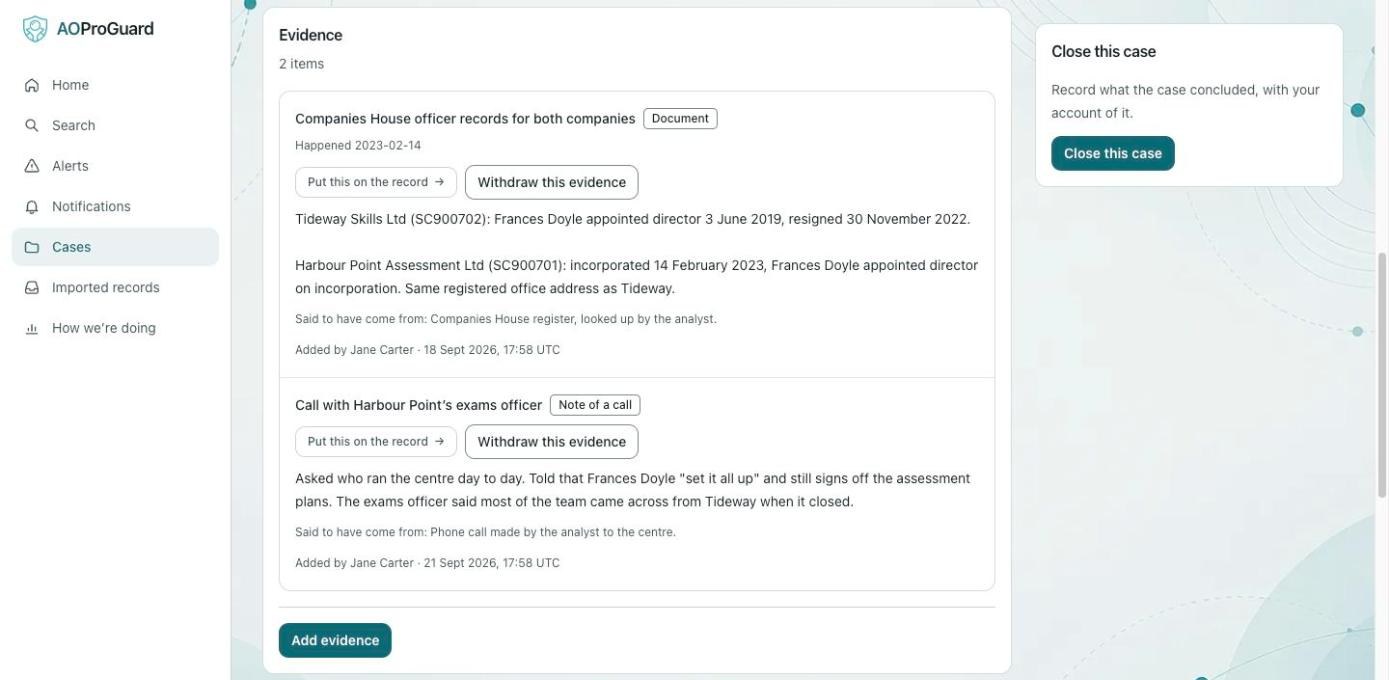
A case gathers the centres, people, alerts and evidence an investigation concerns. Here, Harbour Point opened eleven weeks after its director left a suspended centre, and the case holds the Companies House records and a note of a call.

Evidence stays evidence until someone deliberately puts it on the record, and that step is recorded too.

  1. What each piece of evidence is.
  2. Put this on the record: a deliberate, recorded step.
  3. Where it came from, and who added it when.
The evidence section of a case. Two items: Companies House officer records for both companies, and a note of a call with Harbour Point's exams officer. Each shows where it came from and who added it, with buttons to put it on the record or withdraw it.

Step 6 of 6 · Decide and report

Decide, report, and tell other awarding organisations

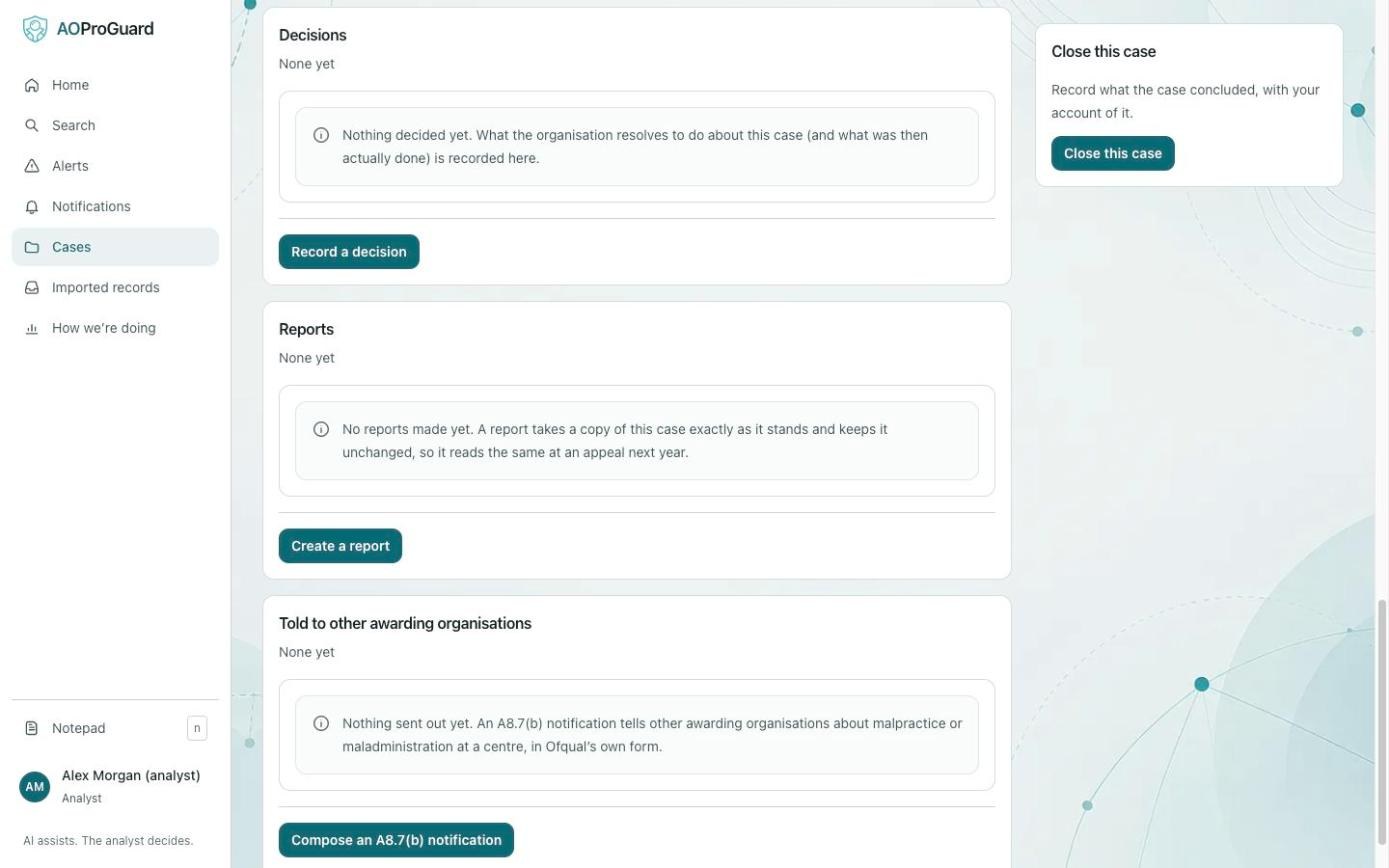
Record what the organisation decided and what was then done. Create a report, a fixed copy of the case that reads the same at an appeal next year.

When malpractice needs reporting under A8.7(b), it drafts the notification in Ofqual’s own form and keeps a copy. Sending it stays with you.

The end of a case: sections for decisions, reports, and notifications told to other awarding organisations, with buttons to record a decision, create a report and compose an A8.7(b) notification.

Built for regulation

Made for an organisation that answers to Ofqual

Anything you bring into malpractice work has to stand up to the same scrutiny as your own processes. These are the questions your compliance lead and your auditors will ask.

Every action is on the record

Every search, every record opened and every decision is logged with who did it and when. Opening a record counts, because looking at someone’s personal data deserves a record of its own. The log can be added to and is never edited.

The audit trail is kept apart

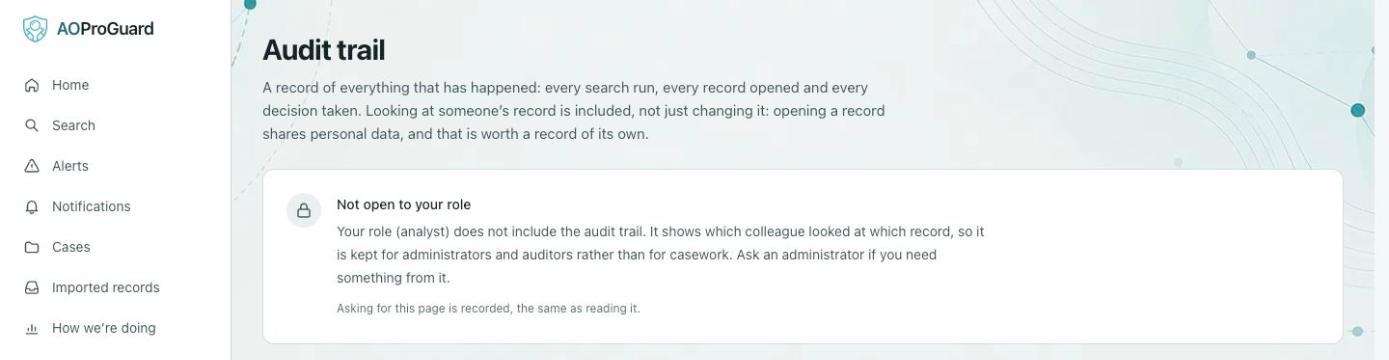
Administrators and auditors can read the audit trail. Analysts cannot, so casework and oversight stay separate. An auditor can see everything and change nothing, and a refused request is recorded too.

The analyst decides

AI reads, sorts and suggests. It never approves a centre, rejects one or closes an alert. Anything AI drafted is marked as such until a person confirms it.

In Ofqual’s own terms

Built around General Condition A8. Notifications follow Ofqual’s A8.7(b) template and keep its distinction between malpractice and maladministration.

Held in the UK

Your records are stored in London, and the service will not run outside the UK. Every user signs in with a password and a code from an authenticator app.

Your records stay yours

Ask in writing and you get all of your records back within 30 days, in formats any spreadsheet opens, at no charge.

The audit trail page as an analyst sees it: not open to your role. It explains the trail shows which colleague looked at which record, so it is kept for administrators and auditors, and that asking for the page is recorded the same as reading it.

What an analyst sees when they ask for the audit trail. The request itself is logged.

Next steps

What happens next